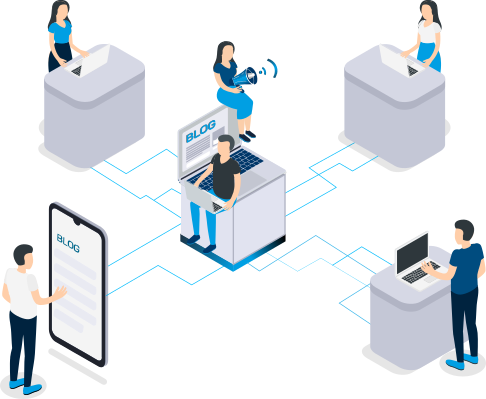
Searching for documents, comparing versions, and increasing legal requirements are making day-to-day business operations increasingly complex. To successfully address these challenges, many companies rely on software that structurally simplifies the management of data and processes. One of the most popular and effective solutions is enterprise content management software.
Enterprise content management helps companies store, organize, manage, and deliver documents, images, videos, and other digital content in a centralized and secure manner, tailored to user needs.
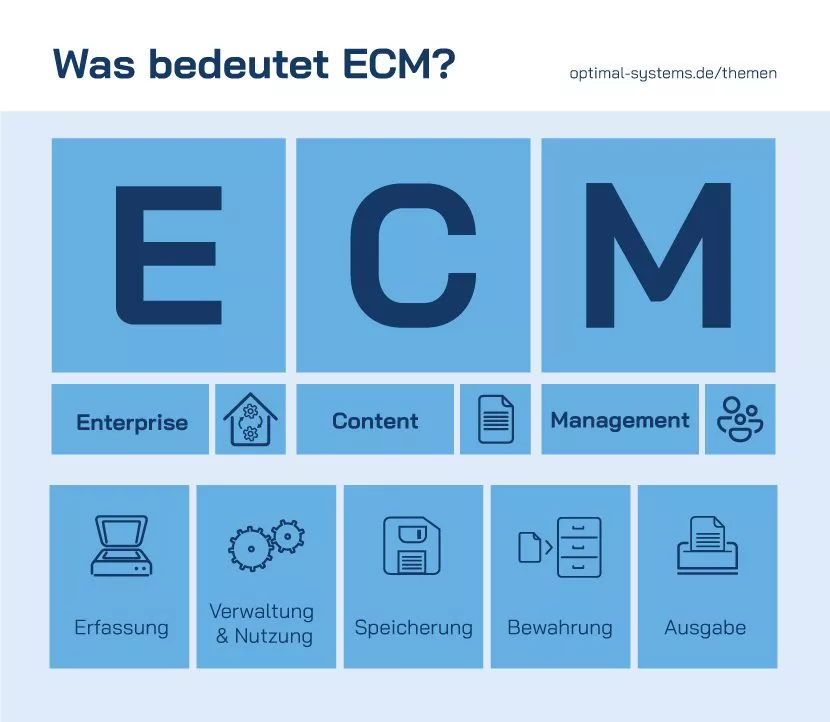
Enterprise content management consists of the following three individual terms:
The composition already illustrates the scope of the solution.
What is ECM? The industry association AIIM International defines ECM as “the systematic collection and organization of information intended for use by specific target groups—managers, employees, customers, etc.”
ECM is more than just software: As a strategy and management concept in information technology, enterprise content management serves as an information hub. It supports companies with technical tools and digital features. It integrates seamlessly with SAP and other ERP systems.
In addition to the definition of enterprise content management, the term can also be contrasted with other IT solutions:
Both ECM (enterprise content management) and DMS (document management system) are solutions for managing digital documents within a company. Although the two terms are often used interchangeably, they have different focuses.
While a document management system is a centralized software solution for managing documents in one place, ECM goes a step further and manages not only structured data but also a company’s entire “content.” Enterprise content management involves the integration of various features and components: DMS, Collaboration, CMS (content management system), and BPM (business process management). An enterprise DMS is always a central component of a comprehensive ECM solution, but it can also be used as a standalone software application.
ECM and ERP systems complement each other well: Enterprise resource planning (ERP) centrally consolidates data streams from various sources, processes them, and makes them easy to manage. An enterprise content management system (ECM) organizes the resulting documents and records and makes them accessible. If you integrate an ECM IT with SAP or another existing ERP solution, the entire document repository can be linked and made available company-wide.
An enterprise content management system consolidates your company's knowledge. As part of information lifecycle management, up-to-date knowledge is made available to all employees.
The international ECM association AIIM defines five components of ECM, which are explained in this article.
The "Management" module is the core of the ECM. It defines access to and handling of the documents. In addition, it automatically initiates defined processes.
The capturing of documents serves as the foundation for all processes. It ensures that the documents are made available digitally for all subsequent steps. Thanks to the centralized availability of documents, workflows are streamlined and communication between your employees is made more efficient.
As part of document management, several functions are used to integrate paper-based or electronic information into the ECM system.
These are…
of the documents.
The individual functions can be implemented in different technical ways. Regardless of the document type, both paper documents and digital documents can be processed. They are stored in digital records and kept on hand for use in work processes. This involves the use of ERP applications, EDI documents, and XML documents, among other things.
When it comes to document processing and management, the features of the enterprise capture software integrated into the ECM offer significant potential for increasing productivity and saving time: Handwriting recognition, barcode processing, optical character recognition, and data extraction can automate previously manual tasks.
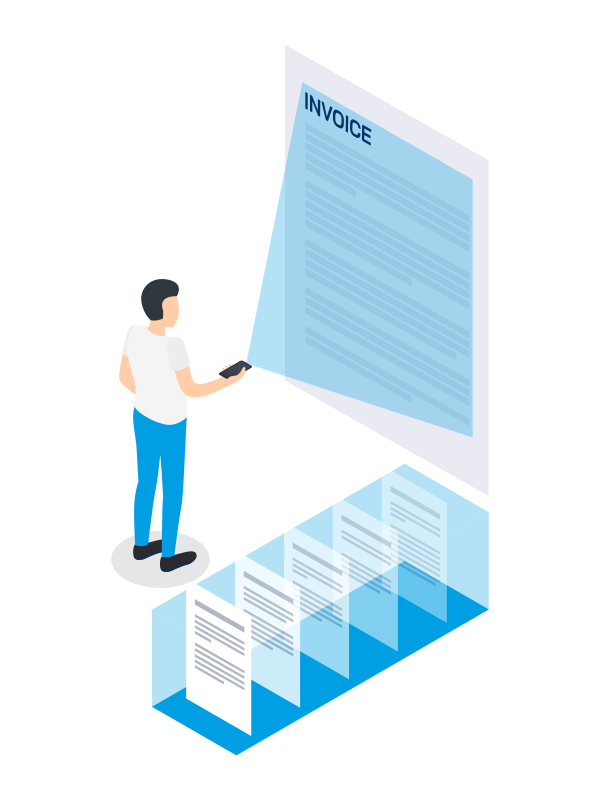
This component involves the active management, use, and processing of information. This involves actively managing the resulting e-files within the framework of integrated workflows.
To ensure this, the ECM system must control access rights and the associated databases. In handling the wide variety of data types and workflows, the system must meet several requirements, which are defined in the following core components:
Electronic document management is a core component of the ECM system. A document management system provides:
This functionality is made possible by the integration into intelligent e-files. They can be searched based on freely definable criteria. These can be transaction numbers, customer data, or other metadata that you define. This allows employees to easily find the relevant documents and share them with colleagues.
ECM systems can be tailored to individual requirements. This makes them a versatile tool. Powerful features streamline document workflows in a comprehensive and efficient manner, minimizing time-consuming and costly manual processes.
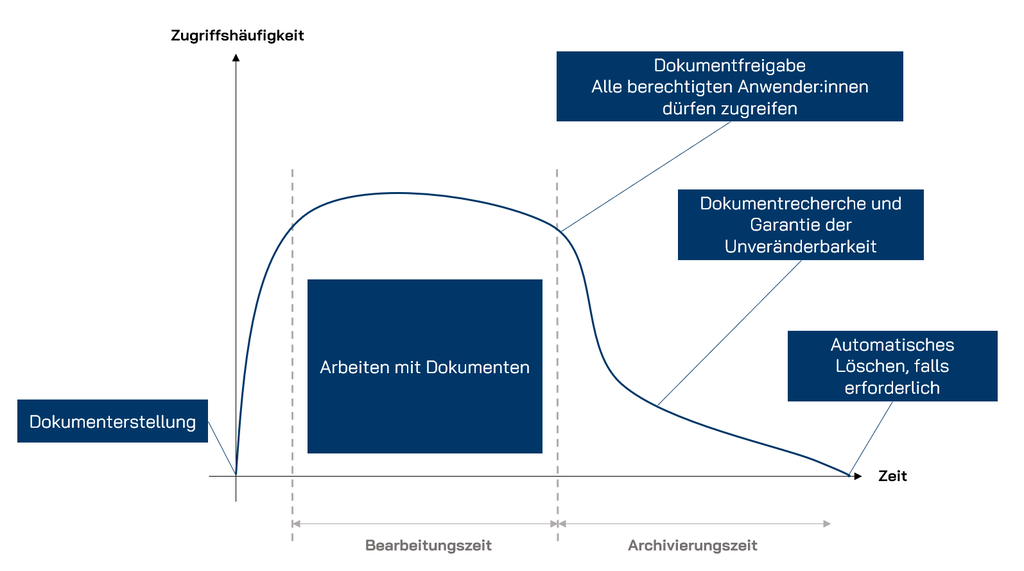
Digital archiving of all documents and information requires audit-proof archiving. It makes it possible to preserve knowledge over the long term and save costs.
In addition to the obvious cost savings, an ECM system ensures that you meet the requirements for GoBD-compliant archiving of your documents. The GoBD is the legal framework for long-term electronic record retention.

The foundation for audit-proof archiving is a fully functional document management system. It meets all relevant requirements regarding the reliability of evidence, the authenticity of documentation, and retention periods. Only authorized individuals can view or edit documents, which protects the documents from unauthorized changes. This immutability enables reliable invoice verification.

With your enterprise content management system, you can integrate and manage digital workflows, information processes, and business processes. This leads to simplified and streamlined business processes. Digital workflows form the basis for this. This gives you a dynamic tool for modeling and refining workflows. The result: optimal coordination and a clear overview of all work items for the employees involved.
BPM is suitable for any type of process—from incoming mail and invoice verification to approval processes, project management, or even leave requests. Information remains transparent and accessible throughout the entire lifecycle. Quality management is improved, costs are reduced in a sustainable manner, and corporate goals are achieved more quickly and reliably.
Collaboration solutions enable users to work on documents together, in a controlled manner, and simultaneously. Information is made available to everyone to ensure a shared and consistent knowledge base. Instead of processes having to build on one another, multiple employees can work on documents at the same time.
Collaborative work includes the following:
Not only will these opportunities give your productivity a boost, but your employees will also appreciate it. Long wait times for follow-up questions or interim approval processes are reduced. This also means that case workers do not have to keep familiarizing themselves with a case all over again.
Web content management systems are commonly referred to as content management systems (CMS). Well-known examples include applications such as WordPress, TYPO3, Joomla, Wix, and Shopify.
They enable publishers and authors to prepare and convert content for websites or platforms. The systems make it possible to store resources and categorize them into public and non-public information.
Everything related to digitization, technologies, and cloud solutions

The “Storage” component describes the need to store documents. Storage is necessary for both long-term archiving and temporary filing of documents. However, these two processes place very different demands on the ECM system. These are defined not only by practical application but also by legal framework conditions.
To meet these requirements, three basic resources must be defined:
The “Storage” component forms the backbone of the ECM system, which stores the necessary documents and information. Only reliable technology ensures that the relevant documents are accessible at all times.

Long-term archiving is a critical factor, primarily for legal reasons. Information must be stored in a static and unalterable manner—which, given the long-term archiving requirements, represents a significant burden in terms of the amount of data involved.
In practice, therefore, a combination of electronic systems is often used to ensure digital archiving. Common storage techniques that are used include:
These techniques ensure that your documents are archived in an audit-proof manner.

The “Delivery” element is often referred to collectively as “output management.” It describes the function of providing users with information from the ECM system—certainly a central component of the system, without which active work would not be possible. As soon as documents are “delivered” to your employees, they can begin processing the associated workflows.
In summary, the “Delivery” component includes the following functions:
Every day, countless documents and pieces of data are created and used in every company. If business-critical information is not managed systematically, serious problems can arise:
If you use ECM software, you can better organize and manage your digital business content and benefit from the following ECM advantages:
Centralized and legally compliant document storage
Digital documents can be stored centrally much more securely and, above all, more easily than paper records. ECM software increases data security by ensuring access through user permissions. Even at the document level, it is possible to distinguish between viewing and editing permissions. In this way, an ECM tool supports companies in complying with data protection regulations and compliance requirements.
Make business processes more efficient
Data and information can be linked with workflows, enabling processes to be automated and optimized. Workflows also speed up operations and reduce human error. This increases productivity and allows companies to become faster, more agile, and more competitive.
Increase customer satisfaction
When documents, catalogs, brochures, or other materials are available in digital form and stored centrally, they can be quickly found and accessed from anywhere. This improves responsiveness, optimizes sales operations, and increases customer satisfaction.
Manage approvals and sign-offs transparently
An enterprise content management solution helps reduce the turnaround time for approvals and sign-offs. For example, approving vacation requests or signing off on a quotation no longer requires additional emails or phone calls. The entire process is transparently traceable for all parties involved; every change is logged, and all people involved in the process are automatically informed about each step.
Improve collaboration & communication
Thanks to enterprise content management, teams can collaborate efficiently regardless of time and location: all participants can work on the same documents and content simultaneously without version conflicts, duplicate files being created, or working documents needing to be sent via e-mail.
Every company needs to organize its data. The scope of an enterprise content management solution extends to all departments within the company.
The wide range of ECM applications stems primarily from the ability to customize the software to your individual needs. Three examples illustrate the versatility of ECM software.
Construction projects are complex and often complicated due to the large number of parties involved, such as the client, the construction company, government agencies, subcontractors, and so on. This makes it all the more important to provide a transparent overview of construction sites and projects and to centrally store applications, plans, land registry extracts, permits, and photos in the digital construction record, so that they can be accessed and, if necessary, reviewed from anywhere—including the construction site. Comprehensive ECM software featuring a construction record and an integrated construction log helps you manage projects, calculate costs, and analyze all construction site data.
In the healthcare sector, the use of an ECM solution can be of great benefit: Hospitals, rehabilitation centers, and doctors' offices handle sensitive patient data, which must be stored securely and in compliance with the law. The electronic health record contains patients’ personal data as well as medical findings and imaging data—such as X-ray or CT images—from various sources. Thanks to interfaces, cross-institutional, internationally established healthcare standards such as HL7, IHE, DICOM, xDT, SAP ArchiveLink, and CMIS can be implemented and integrated into common EHR systems.

ECM software offers many advantages in accounting and finance, particularly with regard to the filing and review of business-critical documents such as invoices, bank statements, and contracts. By automating processes such as scanning, indexing, and archiving documents, you can save time and reduce staffing needs, allowing you to allocate resources more efficiently to other tasks. DATEV interfaces streamline your accounting processes: from receipt capture, verification, and classification to centralized filing and the digital approval process.
The Mannheim-based energy company MVV Energie AG is one of Germany’s leading energy providers and employs over 6,500 people. Through its business segments—energy generation, trading, and distribution; distribution network operations; and sales, environmental, and energy services—the company generated approximately 4.2 billion euros in 2022.
MVV Energie AG was the first municipal energy company to go public in 1999 and operates throughout Germany and in other European countries.
As early as 1998, the innovative energy company began organizing its corporate knowledge using solutions from OPTIMAL SYSTEMS: It started out with a software for invoices, personnel files, and workflows.
The company was looking for a digital solution that offers a wide range of features and can be customized by its own employees to meet the industry-specific requirements of the energy sector.
With enaio®, these challenges were met from the very beginning, and the corporation now has ECM software that meets all energy-specific requirements regarding
The company’s management places particular importance on the legally compliant capture and archiving of over 11 million documents—with a storage volume of approximately 500 GB—that are processed by employees working in various locations. 85% of documents are generated digitally and transferred to enaio® without any disruption in the workflow.
Roland Geiger of Soluvia IT-Services GmbH, which is responsible for IT services at MVV Energie, sums it up: “We have largely expanded the solutions implemented with enaio® step by step with our own employees and adapted them to our needs, so that we can now use a comprehensive solution tailored specifically to our requirements.”
Using a certified interface, enaio® is integrated with SAP R/3 at MVV Energie, including the modules for
and integrated into the Contago energy trading system.
How MVV Energie benefits from the enaio® ECM software:
Christian Faust, Head of the HR Service Center at MVV Energie:
“There are no more records lying around,
all documents are immediately at your fingertips.
Everyone knows where each record is."
ECM stands for enterprise content management. It is software that centrally manages corporate content. Users can use it to digitally capture, file, find, edit, forward, share, and preserve all types of data over the long term.
Enterprise content management software organizes and optimizes information processes within companies. This results in cost and time savings, making companies more productive, competitive, and agile.
Enterprise content management (ECM) providers should offer the following features:
When corporate knowledge is managed digitally using ECM software, it can be accessed more easily and efficiently by many users, both inside and outside the company. This allows internal and external teams—whether working from home, on the go, or at different branch offices—to access digital files directly and edit documents "in real time."
Of course, an enterprise content management system should be able to handle German. A multilingual ECM software solution is becoming increasingly important, especially for companies that operate beyond German-speaking regions. Key features of multilingual enterprise content management software include:

LOCATIONS