Find out, among other things, how document management can boost your productivity, what benefits a DMS offers you, and in which areas document management software can be used.
Table of contents
Invoices, contracts, job applications, technical documentation: Data is processed in a wide variety of areas within companies. And different legal regulations apply to each of these document types, with every department creating its own data silo. A document management system, or DMS for short, is the solution here.
With a DMS, you can streamline your workflows and manage your data centrally in one place for all authorized employees. Anyone can quickly and easily access and edit the documents. Automated workflows support process-driven operations and ensure high efficiency. Your documents are stored in a manner that complies with legal requirements and is audit-proof, and versioning provides you with a historical overview of your documents and any changes made to them.
A DMS system is a centralized management software that enables companies to manage and store documents and data in one place. With document management, it is very easy to create and process automated workflows. It optimizes your business processes and helps you realize opportunities for improvement in your workflows. The capture, filing, distribution, sharing, editing, archiving, and searching of documents are all managed digitally.
An overview of the benefits of a DMS:
DMS stands for document management system. It is a document management system, an archiving system, and a collaboration tool all in one. With DMS software, you can manage and save all your files in an audit-proof, version-controlled, and traceable manner. Other document management tasks in a company include optimizing time and resources through automated workflows and digital approval processes.
In general, a document management system offers benefits for every company. Varying document retention requirements, legal obligations, overflowing filing cabinets, and full, disorganized mailboxes are consuming an increasing amount of time and financial resources in companies. A document management system is particularly beneficial for companies that:
To ensure successful integration into your organization, it is necessary to follow the various project phases. We recommend the following steps and phases:
Before you request quotes from different providers, you should have a clear idea of what you need from a DMS. These requirements should be clearly defined by your project team in the needs assessment and will ultimately serve as the basis for the vendors. Once you have decided on a provider, the next steps are to carry out the implementation and finally integrate the system into your operations. Do not forget to set aside enough time to train your employees on the integration.
If you are looking for the right solution for your business, you should first consider your requirements for a document management system as well as the DMS structure. Think about the primary tasks it should handle and which business processes you would like to manage digitally in the future.
Your answers to these questions will help you choose the right provider. Take a look at some software providers online beforehand. You will quickly discover that the features of DMS solutions vary significantly. You can integrate everything from fixed software setups to highly customizable modular solutions (such as those offered by OPTIMAL SYSTEMS) into your business.
Your list of requirements and checklist will help you determine which solution and provider are the best fit for your business.
With a document management system, you can manage all types of documents for a client or project. You can think of its core function as a digital filing cabinet – with the added benefit that you can search through all the files you have ever saved using a full-text search and find them quickly.
Even if you do not have all your documents available in digital form and still need to digitize them, you can simply scan the document you need using a central scanner or an office scanner and file it directly under the relevant client or project. When the document is integrated into the DMS, a readable and searchable version is automatically saved.


You can store all your files in a digital file. In addition to common formats such as text files, spreadsheets, or PDFs, you can also store graphics, images, media files, and special formats. This allows you to create an archive – that is, a manageable space – with a complete overview of your clients or projects.
With a document management system, you can file digital documents directly in an electronic file. Using your client, you can open the electronic file and upload the desired file. Since each digital file is created according to the structure you define, you can add new digital documents to the correct project or client with just one click and, if necessary, assign them to an additional workflow. In many DMS systems, this also works seamlessly using drag-and-drop. For example, if you receive documents via e-mail, better document management systems also allow you to use an Outlook plug-in to file the e-mail directly into the correct electronic file without having to leave MS Outlook.


With a DMS system, you can easily and efficiently assign and manage various permissions within your organization. You decide whether your employees can view a file or not. In addition, you can define read, write, or edit permissions. Even within an electronic file, as an administrator, you can easily define different permission levels for the respective areas. The easiest way is to organize all employees into groups and assign permissions at that level based on their areas of expertise and responsibility. The permissions system, which has been carefully designed and refined down to the last detail, ensures that your documents are protected against unauthorized access and can only be viewed and/or edited by authorized employees or team members.
If you store your documents in a traditional folder structure and use various siloed systems for your company’s administrative software, things can quickly become confusing. A DMS program integrates your existing storage solutions with your current administrative software into a single, universal interface for all your information.
Even complex projects that span departments, companies, and industries can be efficiently managed using a document management system – without wasting resources – and tailored to the specific needs of your business operations.
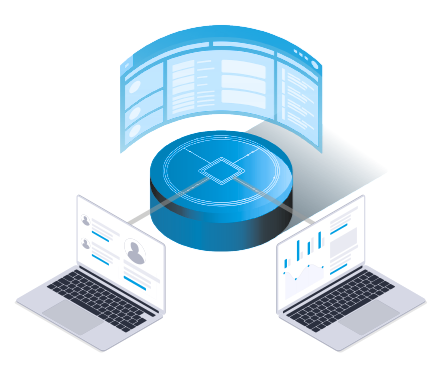

Once you have implemented a digital document management system, you can add additional notes to the stored data – either to the digital file or to the document itself. Figuratively speaking, you are virtually sticking a Post-it note on the file, leaving your colleagues important information.
An integrated document management system (DMS) gives you a complete overview of your documents and streamlines your workflows. Paper files are a thing of the past, and you can manage your data in a legally compliant manner.

Infographic: Key benefits of a DMS at a glance.
Implementing a centralized system for your company’s document management will streamline your workflow. With a transparent document workflow, you can optimize many processes in your company. Quick access to the desired file and the document-based workflow ensure rapid decision-making combined with high work efficiency and productivity.
Let’s take a simple example and walk through the approval process for a quote: An employee initiates the workflow for approving a quote directly through the DMS. If desired, the offer can be accompanied by an optional note and is immediately sent to the relevant supervisor, who will find it in their inbox right away. When editing, the document opens directly in the relevant file, and additional data can be viewed quickly with just a few clicks of the mouse. This allows any outstanding questions to be addressed immediately, thereby speeding up the approval process.
When it comes to document archiving, a document management system can also save you a considerable amount of time. Most documents are now sent electronically, and if you want to archive them in an audit-proof manner, you need to print them out and file them. With a DMS, you can simply assign a document you want to archive to the appropriate digital file and save it in a way that prevents any changes.
Document management not only streamlines and speeds up your internal processes, but also offers benefits when handling day-to-day customer and project tasks. For example, in an e-file, you can store more than just sent attachments.
You are saving:
With a document management system, it is very easy to get a complete overview of a project. This means that substitutes can jump right into a project – without a complicated onboarding period – and new employees can easily get up to speed on older projects.
The German Principles for the Proper Management and Storage of Books, Records, and Documents in Electronic Form and for Data Access (GoBD) specify which documents must be archived in an unalterable format in Germany. With a document management system, you can easily comply with the GoBD guidelines as well as all requirements of the GDPR.
Another advantage in this context is the automated enforcement of document retention periods for the audit-proof archiving of documents. A DMS also offers automated deletion of documents once the retention period has expired.
In a comprehensive document management system, you have the option to edit documents directly from the DMS client. When you save the document after making changes, you can choose whether to save a new version with those changes. This new version will then be displayed as the current document. If you want to compare the versions at a later time, you can do so easily. If you save new versions frequently, all previous versions will be retained, and you can access them at any time to review the changes.

Illustration of version management in the enaio® ECM solution
The document versioning feature offers even more benefits: You know which employee created each version and which version is the most recent. You can configure versioning in a document management system either automatically or manually, depending on your company's specific needs and requirements.
In a document or data management system, all actions are fully logged. Every action within a digital file is recorded in the history. Especially when it comes to workflows, the history log is an important resource for future research when questions arise. This way, you can see which employee processed a particular task and when.

Display of a change history in the enaio® ECM solution
When a team edits, saves, and archives various documents, it is often difficult to track which employee made which changes or which document is the approved version. If the project took place some time ago and you no longer remember the exact details of how it unfolded, finding a document – whether it is a delivery note, order confirmation, vacation request, or something similar – can be a real challenge.
With a DMS that includes full-text search, you can find any document in seconds. All documents are not only searched by their titles; the entire content of each document – including scanned documents – is also included in the search via the full-text search function. Being able to find information quickly helps you organize your business or project efficiently.
When you file your customers and projects centrally in a document management system, all documents are scanned using OCR (optical character recognition) and prepared for full-text search.

Display of a results list and document preview in the enaio® ECM solution
Simply enter the desired term in the DMS client, and the convenient search will quickly scan all documents. The speed and thoroughness with which documents are scanned, along with the advanced search feature, save a lot of time and hassle. With additional filters, you have access to specific options for narrowing down your search results, allowing you to quickly find the information you are looking for – regardless of file format, data source, project, or time.
Documents are often printed out for audit-proof archiving. They fill the filing cabinets in your office, and over time, the number of cabinets keeps growing. This reduces the space available for you and your employees, and the paperwork chaos begins. Your virtual filing cabinet saves time, paper, and storage space.
Every industry has its own unique process landscape, and every company has its own specific needs. Document management software can be integrated into your company’s structure, thereby optimizing your entire operational process. It is more than just a virtual document repository. All processes – from financial management to human resources – can be organized and managed.
These examples demonstrate the flexibility of a DMS:
A document management system (DMS) for the mechanical and plant engineering industry handles not only all standard business documents (invoices, purchase orders, contracts, general correspondence, personnel files) but also the specific requirements for integrating technical documents, such as CAD files.
A DMS for clinical healthcare, links administrative business data with patient records. The electronic health record contains patient data as well as medical findings and imaging data (such as X-ray or CT images).
Another example is document management in the construction industry. A digital construction file facilitates collaboration between different departments. Construction logs, plans, cost overviews, and timesheets can be managed efficiently and clearly.
Companies can use document management systems in a variety of ways. Popular applications for digital document management and storage include:
These examples are just a small sample of the wide range of applications. In principle, a DMS solution covers the entire operational process – from archiving to control and management – and can be adapted and customized to suit any industry and business need, all the way to a completely paperless office.

Infographic: Applications of a DMS at a glance.
Human resources management and HR processes are a critical area subject to very strict compliance requirements that must be strictly adhered to. Legal provisions, such as internal company policies, provide a concrete framework for handling employee data. You can achieve a digital transformation of HR using DMS software.
The personnel file contains all data, documents, and correspondence pertaining to an employee. In a document management system, you have all your documents stored in one place, and you can easily view them using the document preview feature in the DMS client.
An example of the types of employee documents that might be included in a digital personnel record:
In a document management system, you can tailor the structure and content of a personnel record to meet your company's needs. A DMS can be tailored to your specific needs, thereby optimizing your HR projects and processes.
From application management to vacation requests:
Learn more about how DMS solutions can be used in human resources.
In addition to the clear and audit-proof filing of all information and documents, another key advantage is the ability to create and integrate new documents into the respective digital personnel record. Template management allows you to populate pre-made templates with the master data of the respective employees, leaving you with only a few details to add. In human resources management in particular, you will often need to draft new contracts or make changes to existing ones, and you can do this directly from your client.
The version control feature in document management also helps you track changes. Automatic logging also records the user and timestamp to ensure a complete history.
If you need approval for a document or piece of information you have created, you do not have to contact your colleagues first. You can assign these tasks using an automated or manual workflow directly within the DMS. Using the “Start workflow” feature, the approval request is immediately sent to the person you specify. That person is assigned your approval request as a task and can grant approval right away in the client. You will always be kept up to date on the current status of the approval process.
In addition to the efficient approval option available directly within the client, a workflow offers another major advantage: In most DMS solutions, the entire workflow is listed in a history. If any questions arise at a later date, you will have complete documentation and will be able to easily answer any open questions.
degewo AG, one of Germany's leading housing developers, handles an impressive volume of documents every day. With more than 79,000 apartments in its portfolio, the Berlin-based company relies on a document management system to meet this challenge. The software has been successfully used for over a decade to efficiently manage more than 50 million documents.
Together with its partner Tropper Data Service, degewo has implemented a comprehensive digitalization strategy. Every day, newly received paper documents are collected, scanned, and made available digitally within 24 hours. This also includes quality-assured processing using OCR technology and specific data enrichment.
The solution components offered by degewo AG include tenant files, property files, as well as files for incoming invoices and construction plans. With the DMS, degewo employees benefit from a centralized information system that not only makes their day-to-day work easier but also improves their ability to provide information to customers and partners. Interfaces such as the Outlook add-in and the SAP connection also ensure seamless integration with existing IT systems.
To protect sensitive data such as personnel and legal records, degewo AG relies on a finely granular role- and permission-based management system. This complies with the requirements of the GDPR and ensures that only authorized employees can access specific information.
In the future, the company plans to increase its integration of third-party systems in order to further develop its digital workflow.
If you want to manage your documents centrally and integrate a document management system into your business, you will find both cloud-based solutions and on-premises options on the market.
A particularly robust cloud solution concept for a document management system would be SaaS (Software as a Service), since in this case the software and data are processed by an external provider. On-premises at the other end of the spectrum involves software implementation and data storage within your company.
DMS providers usually also offer intermediate versions. For example, you can install the software at your company, and the data will be partially or completely migrated to the cloud. Given the high degree of customization offered by a document management system, you should avoid committing to a specific solution too early and instead discuss your company’s specific needs with the respective provider.

You have already been introduced to a workflow application for the digital personnel record. Now you will learn exactly what workflow management entails.
A workflow in a document management system is a defined work process that is controlled directly from within the system. You create a process rule that automatically triggers an action and prompts one or more people in your company to take action. You specify exactly who is automatically assigned which tasks and for what purpose.
For example, you can automatically assign incoming invoices to an employee or a group based on customer data recognition. When you scan a document, the DMS automatically recognizes what needs to be done with it and assigns the invoice as a task. The task will then appear in the relevant employees' inboxes, and they can review the invoice. Once approval has been granted, the workflow will initiate the payment.
Another popular example of document management is the approval of leave requests via a workflow. As an employee, you create a leave request and submit it in the client for approval. This workflow automatically identifies the correct recipient, so you, as an employee, do not have to worry about it. If your supervisor approves it, the workflow can also post it directly – without lengthy e-mail chains, physical signatures, or an external solution.
You can find more examples and information on workflow management here:

When you create a digital file, certain access permissions are associated with it. Typically, the virtual space consists of various folders that make it easier for you to manage your documents. In many companies that use DMS software, there are (external) employees who do not have access to it because it is not necessary in their work environment.
Good document management software also provides a solution if you want to share documents with these employees or need documents from them. You can grant access to these users to a shared “project room”, usually through a simple sign-up process using an e-mail address and password, and easily exchange documents without having to leave the DMS client. You can also assign different permission levels.
This room is ideal for collaboration with your external partners or clients. Compliance, audit compliance, versioning, and logging are maintained here.
Structural changes in the world of work present new challenges for companies. Digitalization creates new opportunities, and a document management system can serve as a key tool for addressing these new challenges.
The term "New Work" originates from the work of Frithjof Bergmann and describes a structural shift in the world of work. The core values here are independence, freedom, and participation in the community. For a detailed explanation of the basics, see, for example, here.
In everyday usage, "New Work" refers to flexible work models and the ability to work independently of time and place. Digitalization has opened up new opportunities in this area, which many companies are already taking advantage of. Remote work and freelancing are prime examples of this.
A DMS also allows you to meet the demands of the New Work paradigm. Thanks to virtual client files and established workflows, you no longer have to work from a specific, fixed location.
In addition to a digital workspace, effective document management also offers multi-device access. With web clients, you can log in to your account and work through your tasks using a tablet or smartphone as well as a laptop.
This saves a significant amount of time, especially when it comes to document approval workflows. A classic example is when your supervisor approves a document. Using his smartphone, he can edit the tasks you have assigned while on the go and, for example, approve a vacation request or sign off on invoices. You can continue working from anywhere, whether you are on a business trip or working from home. This ensures that no deadlines are missed or overdue dates overlooked. The workflow proceeds systematically, regardless of where the employee is located.

Even though your DMS may offer a multifunctional approach to processing and managing all your digital data, you will likely still use other software solutions in your company. Providers are aware of this and are responding by offering comprehensive integration with a wide variety of solutions.
It is hard to imagine daily work without MS Excel, MS Word, and especially Outlook. That is why it is important that the DMS system you use integrates well with MS Office.
Most providers, including OPTIMAL SYSTEMS, therefore offer MS Office plug-ins for your document management system. Here, you can save files directly from MS Outlook, MS Word, or MS Excel to your desired digital file. Using MS Outlook, correspondence can also be automatically assigned to a customer via a plug-in using an e-mail address – this simplifies and speeds up archiving in the document management system.
If your company already uses Office 365 – or plans to – you can take advantage of these benefits right in Outlook.
Many companies use the popular MS SharePoint, thereby creating a consistent, cross-departmental data interface. To ensure that you do not have to abandon the solution you are already familiar with when integrating a document management system into your company, there is also an option to combine the best of both worlds. The benefits of integrating with your document management system include audit-proof archiving and version control.
By synchronizing Microsoft SharePoint with your document management system, you can incorporate the best of both worlds into your daily workflow. When choosing your DMS solution, pay attention to the type of synchronization. It should work in both directions, so that you always have the latest version available on both platforms. This is the only way to get a good combination of a document management system and SharePoint.
It is not only Microsoft Office products that serve as core solutions within a company; a good document management system should connect and integrate with them as well. Different industries require additional integrations and synchronizations. Talk to your provider about additional interfaces. An SAP integration with the DMS, as well as synchronization with Datev or Salesforce, for example, helps you manage your customers and projects more efficiently. Good document management systems come equipped with APIs that allow you to integrate them with your existing business software.
DMS stands for document management system, and ECM stands for enterprise content management. In addition to internal data management, ECM also encompasses strategy and methods. A DMS focuses on data and document management. In German-speaking countries, the two terms are often used interchangeably in practice; strictly speaking, however, enterprise content management is the broader term. Every ECM system therefore includes a DMS as its most important component.
A DMS combines legally compliant data storage with process optimization. Here are the key features:
You can easily scan and file your documents using a standard office scanner or a central scanner. You do not need any special hardware to do this. The DMS software automatically processes your scanned documents.
Data security is a top priority for most DMS providers, and even cloud-based DMS systems adhere to the latest standards. In this context, please also consider your own IT infrastructure. Given the large number of providers on the market, it is not possible to make any general statements on this matter.
Both versions are available on the market. However, a good document management system is characterized by its flexible and customizable integration into your business. Your existing processes should be able to be integrated into the DMS.

LOCATIONS